The daily prompt by text
Last updated 7 October 2026
Incommon can text you the day's question so you can answer it without opening the app. It is optional, it is off unless you turn it on, and this page is what it commits us to.
One message a day. Message and data rates may apply. Reply STOP to stop, HELP for help. See our Terms and Privacy Policy. We never share your number.
How you turn it on
There is no keyword to text us and no form on this site. It is switched on from inside the Incommon app, in one place.
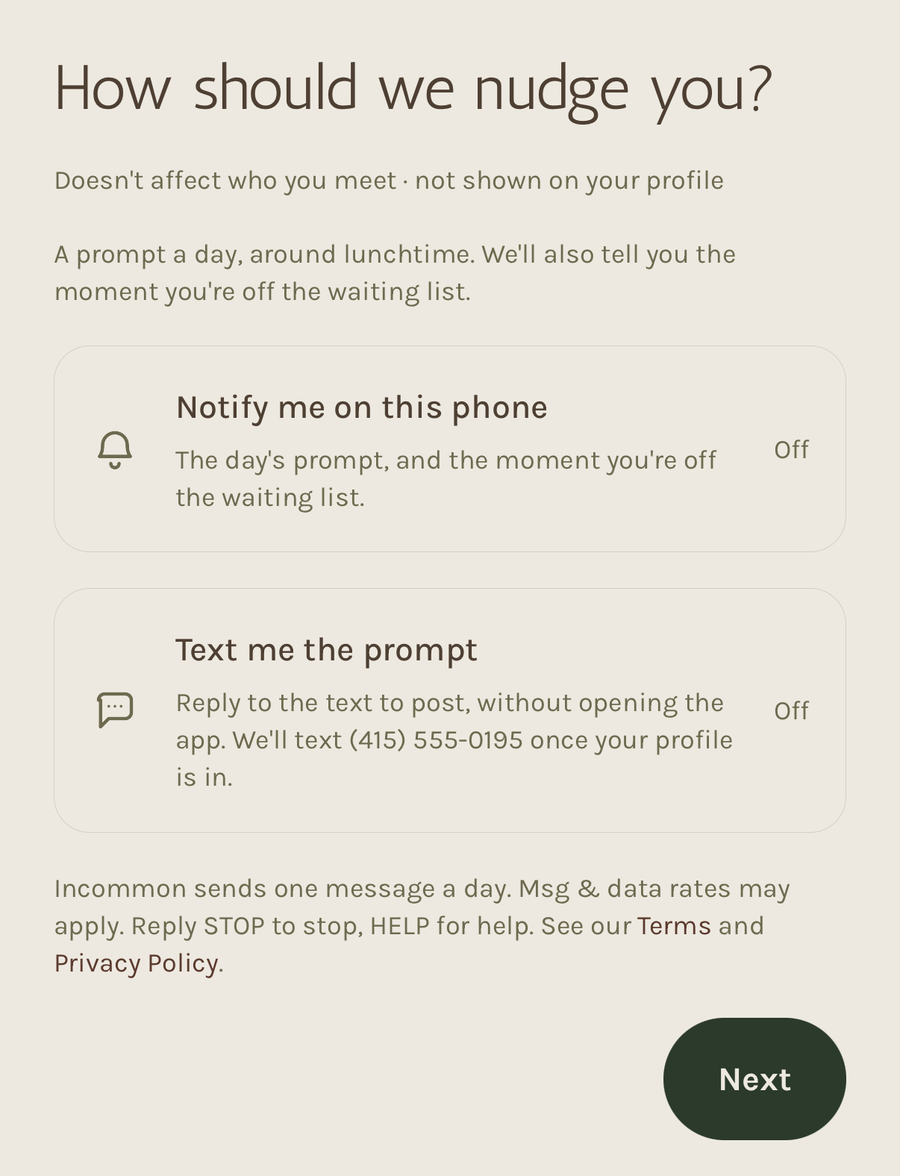
The last screen of account setup is “How should we nudge you?”, with a switch labelled “Text me the prompt”. It is off until you turn it on, and nothing about your account depends on it. The switch names the number it will text — the one you signed in with, which we already confirmed by texting you a code — so you can see which number you are turning texts on for, and there is nothing to type in.
The disclosures in the box above are printed on that screen, directly beneath the switch, before you turn it on.
What the opt-in looks like
Incommon is an iOS app, so this is a screenshot of that screen as it appears in the app. It is the only way a number is ever added to the daily prompt.
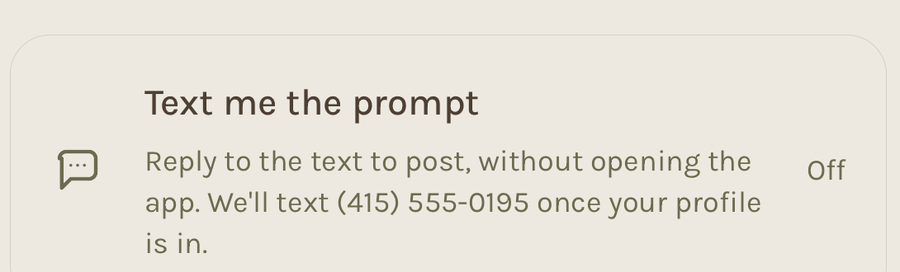
The number being consented to is on the switch itself. There is no field to type one into, because the account already has a number we confirmed by texting it a code before the account existed — so the switch names that number instead of asking for it again. Close-up above; the whole screen below.
What arrives
At most one message a day, around midday where you are, with that day's question. It looks like this:
Incommon, today's prompt: Coffee or tea? (Coffee / Tea)
Reply with your answer, or send a photo.
SKIP for the next prompt, STOP to opt out.
Reply and your answer is posted for you. We reply to confirm it and to offer the day's other question. That is the whole of it: there is no advertising, no offers, and nothing is sent on days you have already answered in the app.
How you stop it
Reply STOP to any message, or turn it off under Profile in the app — the setting is there as soon as you have switched it on. Either works immediately and neither needs a reason. Reply HELP and we will remind you how.
What it costs
Nothing from us. Message and data rates may apply from your own mobile carrier, and carriers are not liable for delayed or undelivered messages.
Your number
Never sold, rented, or shared with anyone for their own marketing. Twilio carries the messages on our instructions and does nothing else with it. The privacy policy has the detail.